If you’ve been working with Git long enough, you’ve probably seen heated discussions about whether to use merge or rebase, whether developers should always work on personal branches, or if commits should be squashed before merging. These debates never seem to end, and that’s exactly why I decided to write this post—to break down the key points and help you navigate these decisions effectively.
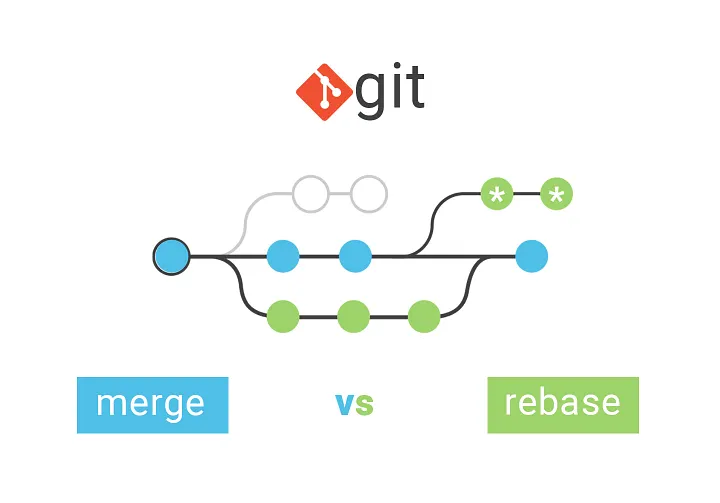
Merge vs. Rebase: When to Use What?
Both merging and rebasing have their place in a Git workflow, and the right choice depends on the context:
- Merge: Preserves the commit history and creates a new commit to integrate changes. Ideal for maintaining a clear history in shared branches like
mainordevelop. - Rebase: Reapplies commits on top of a new base, leading to a cleaner, linear history. Best for local feature branches before merging to avoid unnecessary merge commits.
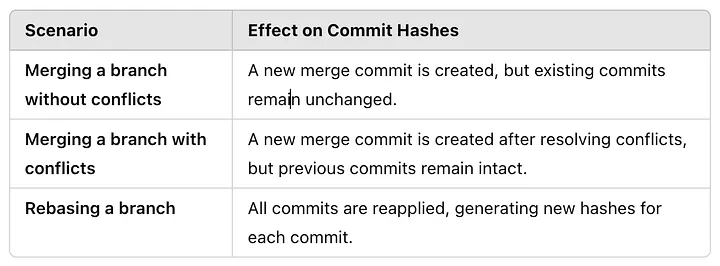
The Effect of Merge and Rebase on Git History
Personal Branches vs. Shared Feature Branches
A common approach is to have a shared feature branch where multiple developers contribute. However, this comes with risks:
- If developers directly rebase a shared branch, they rewrite history, potentially causing conflicts for others.
- A better approach is for each developer to work on a sub-branch of the feature branch. This keeps individual histories intact and allows seamless collaboration.
- If a developer leaves the project, another developer can continue from the last known state of their sub-branch without disrupting the feature branch.
- If a developer rebases their sub-branch, their commit history changes, but the feature branch remains stable, reducing potential conflicts.
Squash Commits: To Do or Not to Do?
Squashing commits before merging can make the history cleaner, but at the cost of losing detailed commit messages. A good rule of thumb:
- Squash if the commits are small, incremental changes that don’t need to be preserved individually.
- Avoid squashing if commit history provides valuable context for debugging or auditing.
Conclusion
There’s no one-size-fits-all solution when it comes to Git workflows. Whether you prefer merge or rebase, personal branches or shared branches, the key is to understand their implications and apply them strategically. Choose what works best for your team while keeping history clean, collaboration smooth, and potential headaches to a minimum.