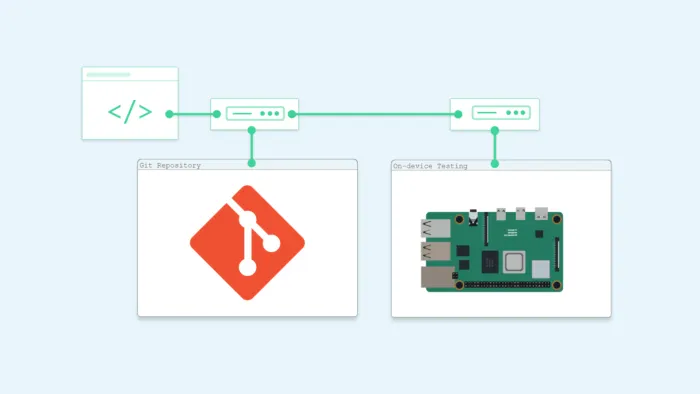
In this post, we’ll explore two simple methods to automate deploying your application to a Raspberry Pi or any other Linux machines whenever your code changes: using Git hooks and GitHub Actions. These solutions don’t require complex CI/CD setups and can be done locally with minimal tools — just Git, Bash, and SSH.
Method 1: Using Git Hooks for Local Automation
Git hooks allow you to automate tasks during various points in your Git workflow. For local, lightweight CI/CD, we can use the post-commit hook to trigger builds and deploy them to your Raspberry Pi or any Linux machines after each commit.
Steps:
- Create a configuration file (
deploy_config.txt) in the project directory to store SSH connection and configuration details:
touch deploy_config.txt2. Edit the deploy_config.txt file with the following configuration:
HOST=raspberypi_ip_address
USER=username
SSH_KEY_PATH=/path/to/your/ssh/key
SOURCE_PATH=/path/to/your/source
ARTIFACT=your_artifact_name
REMOTE_DESTINATION=/path/to/remote/destination
3. Initialize the Git project:
git init 4. Create a post-commit script in the .git/hooks directory to automate the build and deployment process:
touch .git/hooks/post-commit5. Edit the post-commit file and add the following script:
#!/bin/bash # This script runs after each commit # Read SSH details from the configuration file source $SOURCE_PATH/deploy_config.txt # Build the artifact from source. you can add your any build command here echo "Building artifact..." # make build # Deploy the artifact echo "Deploying artifact..." scp -i "$SSH_KEY_PATH" $SOURCE_PATH/$ARTIFACT "$USER"@"$HOST":$REMOTE_DESTINATION # Run the artifact on the Raspberry Pi echo "Running artifact..." # ssh -i "$SSH_KEY_PATH" "$USER"@"$HOST" "chmod +x $REMOTE_DESTINATION/$ARTIFACT && $REMOTE_DESTINATION/$ARTIFACT"6. Make the post-commit hook executable:
chmod +x .git/hooks/post-commitWith this approach, every time you commit, the app gets built and deployed to your Raspberry Pi or any Linux machines without any manual intervention.
Method 2: Using GitHub Actions for Cloud-based Automation
If you want to automate deployments in the cloud, GitHub Actions provides a great way to trigger deployments on push events. You can use it to deploy to your Raspberry Pi or any linux machines when changes are pushed to a GitHub repository.
Steps:
- Store SSH credentials securely using GitHub Secrets:
Using GitHub Secrets to securely store SSH credentials instead of including them in a file within a repository is a best practice for keeping sensitive data safe. Here are some notes to guide you:
- Go to your repository on GitHub.
- Navigate to Settings > Secrets and variables > Actions.
- Add your private key as a new secret, e.g.,
SSH_PRIVATE_KEY.
2. Create a GitHub Actions workflow (deploy.yml) in the .github/workflows folder:
name: Deploying on: push: branches: - main # Deploy on push to main branch jobs: deploy: runs-on: ubuntu-latest steps: - name: Checkout code uses: actions/checkout@v3 - name: Set up SSH run: | mkdir -p ~/.ssh echo "${{ secrets.SSH_PRIVATE_KEY }}" > ~/.ssh/id_rsa chmod 600 ~/.ssh/id_rsa ssh-keyscan -H raspberrypi_ip_address >> ~/.ssh/known_hosts - name: Build artifact run: make build # Or your build command - name: Deploy to Raspberry Pi run: | scp -i ~/.ssh/id_rsa your_artifact_name username@raspberypi_ip_address:/path/to/remote/destination ssh -i ~/.ssh/id_rsa username@raspberypi_ip_address "chmod +x /path/to/remote/destination/your_artifact_name && /path/to/remote/destination/your_artifact_name"This setup securely uses the SSH private key stored in GitHub Secrets to authenticate without exposing it in your repository. On each push to the main branch, the workflow will build the app and deploy it to your Raspberry Pi or any Linux machine.
3. Deploy with GitHub Actions: On each push to the main branch, the workflow will build the app and deploy it to your Raspberry Pi or any linux machines.
This method allows you to use GitHub’s cloud infrastructure to automate your deployment pipeline with no need for a local setup.
Conclusion
Both Git hooks and GitHub Actions are great ways to automate deployments to a Raspberry Pi or any linux machines, with Git hooks providing a local, quick solution and GitHub Actions offering cloud-based automation. Choose the one that best fits your workflow.